How could sharing your plant collection with visitors help your garden?

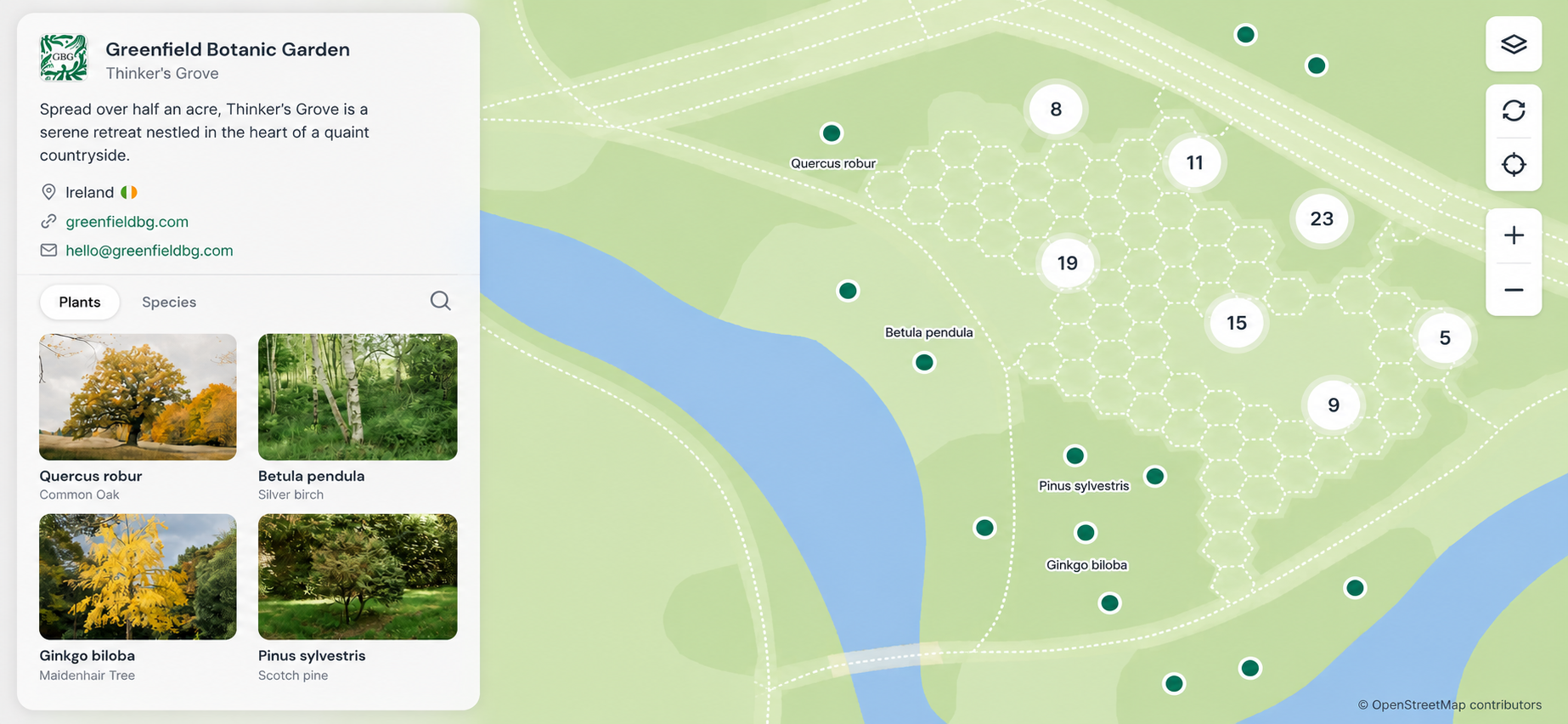
Most gardens hold far more knowledge than visitors ever get to see.
Behind the scenes, your team may be recording plant names, locations, photographs, notes, histories and collection details that help the garden function every day. But much of that work often stays hidden from the people walking past those same plants.
A Hortis Public Site gives you a way to share selected parts of that knowledge with visitors, without creating a separate public database or starting from scratch.
It can turn hidden collection knowledge into something visitors can use before, during and after their visit.
And the value doesn’t stop with visitors. A public view of your collection can also support interpretation, marketing, education, research, fundraising and conversations with partners.
So, what does that look like in practice?
More than a plant list
A visitor-facing collection shouldn’t feel like a spreadsheet that escaped onto the internet.
Visitors don’t usually arrive wanting to explore a fully fledged database. They need something more immediate: a way to recognise what they’re looking at, follow their curiosity, and understand the plants around them in the moment.
The public site gives them that way in. Whether they’re standing in the garden, planning a visit from home, or looking something up after they’ve left, they can explore at their own pace, using the information you have chosen to share.
Helping visitors find what they came for
An interactive map turns curiosity into a route. Someone who has read about a particular oak in your newsletter can open the map and see where it is growing. Visitors can also search by common or scientific name, using terms such as “oak” or Acer, and the map will narrow to show matching public specimens.
Visitors can use the map alongside signage or QR codes to identify individual plants and seasonal highlights as they explore. Only specimens the garden has chosen to make public will appear, and those without a shared location won’t be shown as pins.
Marker styles are based on life-form data from Hortis’s shared taxonomy, helping visitors distinguish between trees, shrubs, herbaceous plants and succulents at a glance.
Together, these features make it easier for visitors to navigate the collection and can reduce the need for staff to answer basic wayfinding questions.
Useful across the whole organisation
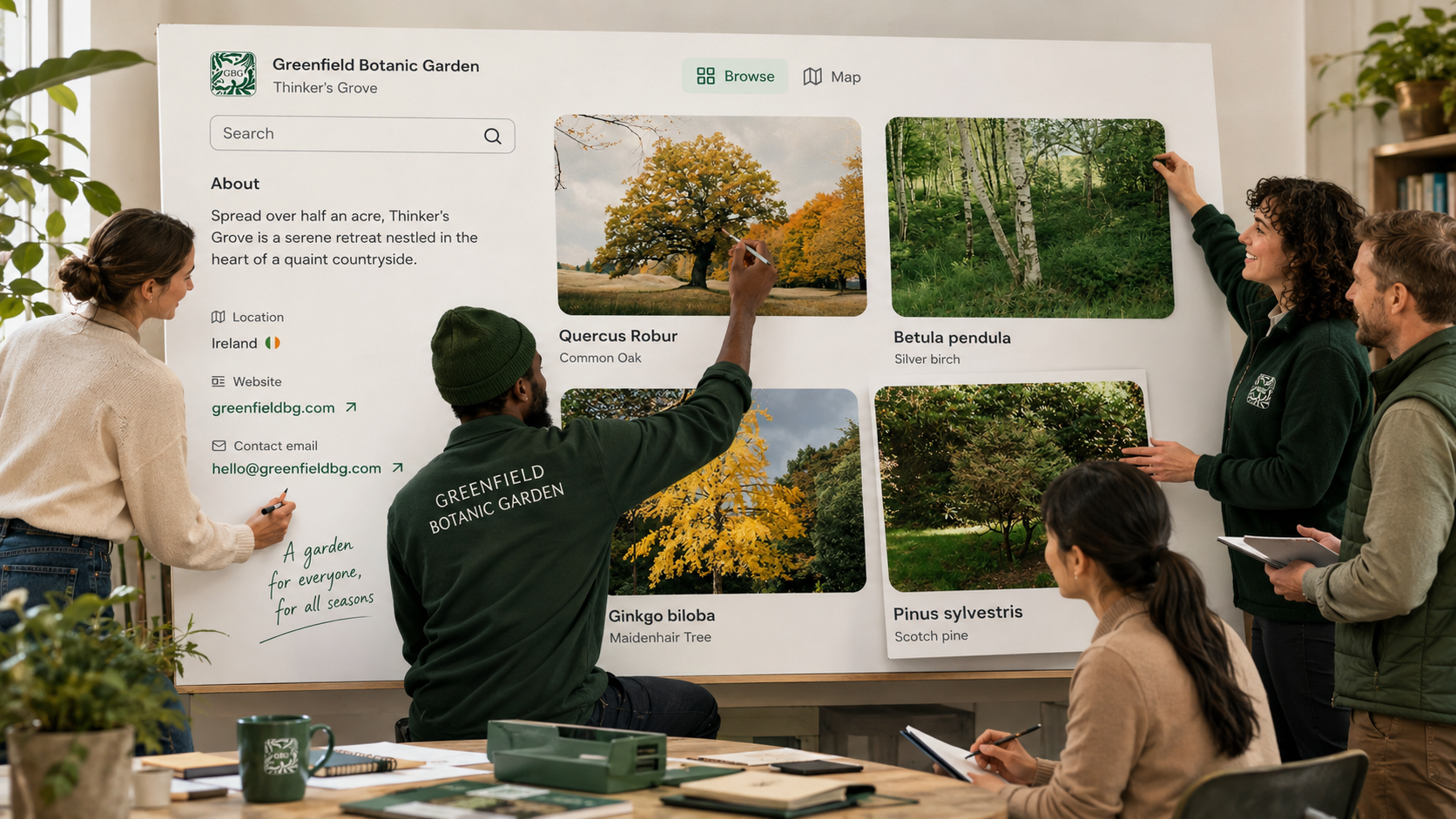
While visitors may be the most obvious audience, the same public view can also support the teams responsible for caring for, interpreting and promoting the garden.
Horticulture and collections teams
The public view makes careful record work easier to share. Plant records, mapping, photographs and collection knowledge can become useful not just to colleagues, but to researchers, partner institutions and specialists beyond the garden.
That visibility can also lead to useful exchanges in return. A specialist browsing the public collection may spot something significant, suggest a connection with another collection, or offer knowledge that would be unlikely to surface if the records stayed entirely internal.
Visitor experience and interpretation teams
The site offers a flexible layer of in-garden storytelling without relying entirely on printed signs, panels or leaflets.
It can enhance self-guided walks, school visits, family activities and temporary event themes. If something changes, you update the record in Hortis rather than waiting for printed material to be redesigned.
That flexibility matters in a living collection, where plants grow, move, decline, flower, disappear, recover and surprise everyone at the most inconvenient moment.
Marketing and communications teams
Instead of linking to a general visit page, you can point visitors towards a seasonal highlight or a single mapped plant.
That last option matters most when timing does. If your titan arum is about to flower, or a rarely blooming specimen has finally come into bud, you can share a direct link to that plant’s record. Visitors arrive already knowing what they’re coming to see and exactly where to find it.
Used this way, newsletters, social posts and pre-visit emails become more useful. They give your audience something to act on, not just something to read.
Directors, funders and partner organisations
For directors and senior staff, the site can become a practical way to show the value of the collection. It’s accessible from a phone or tablet, ready for conversations with trustees, funders, partner institutions or prospective collaborators.
Unlike a brochure or a polished report, it gives people something live and practical to explore. It shows the depth of the collection, the care taken in documenting it, and the commitment to making it accessible.
When you need to make the case for the work, you don’t have to describe it. You can show it.
Supporting professional standards and accreditation
Making selected collection data publicly accessible through a Hortis Public Site can also support accreditation work. ArbNet accepts a publicly accessible online map as one way of meeting its plant labelling requirements, while BGCI’s Botanic Garden Accreditation standards include sharing collections data and accept a link to data on a garden’s own website as evidence.
A Public Site is only one part of the wider accreditation picture, but it can provide useful evidence for these specific criteria.
How gardens are using it
Here are a few examples of Hortis users taking different approaches.
Holker Hall
Cumbria, UK
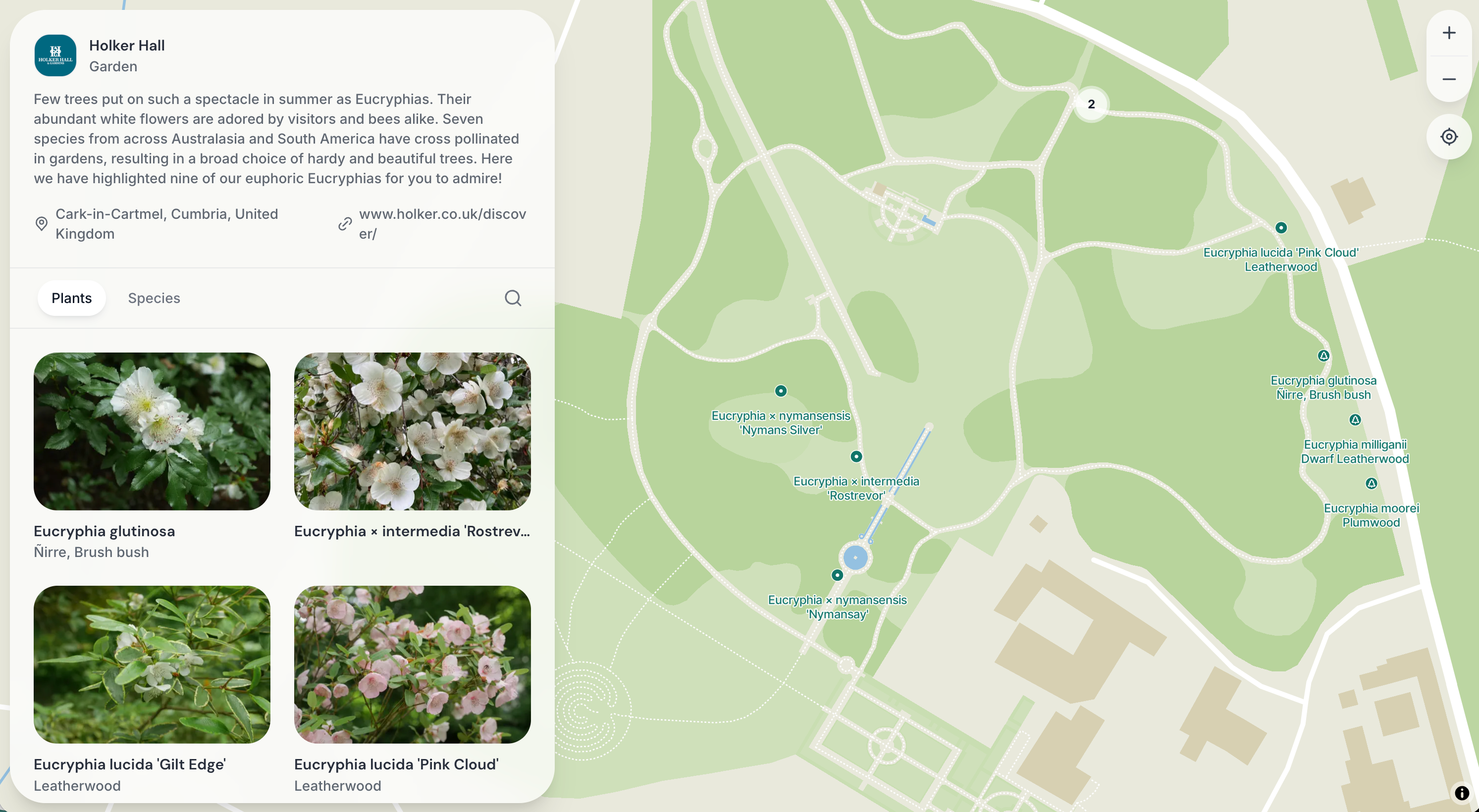
The team at Holker Hall refresh their site every month or so to reflect what is currently of interest in the garden. The approach has worked particularly well with regular visitors, giving them a reason to return throughout the year and find something different on each visit.
“It’s no substitute for a real visit, of course, as the gardens are full of life, aromas and colours that change with the seasons, but it’s a great resource for schools, other gardeners and visitors wishing to either pre-plan or relive their visit.”
Holker Hall
Fondazione Bioparco di Roma
Rome, Italy
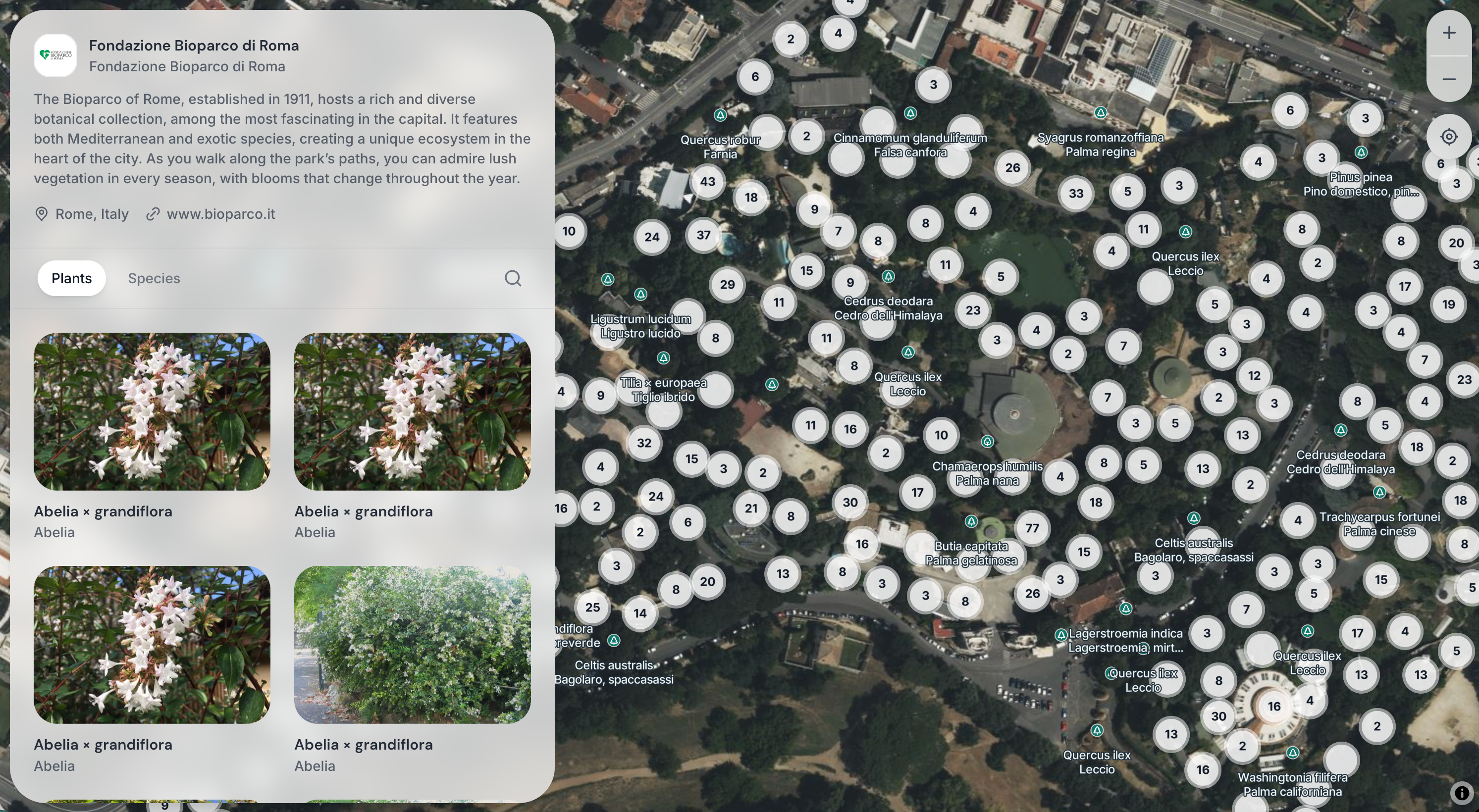
Fondazione Bioparco takes a broader approach, opening up a wide cross-section of plants across the site. It shows how the format can support a large and varied garden, giving visitors one place to explore what is growing there.
Royal Tasmanian Botanical Gardens
Hobart, Australia
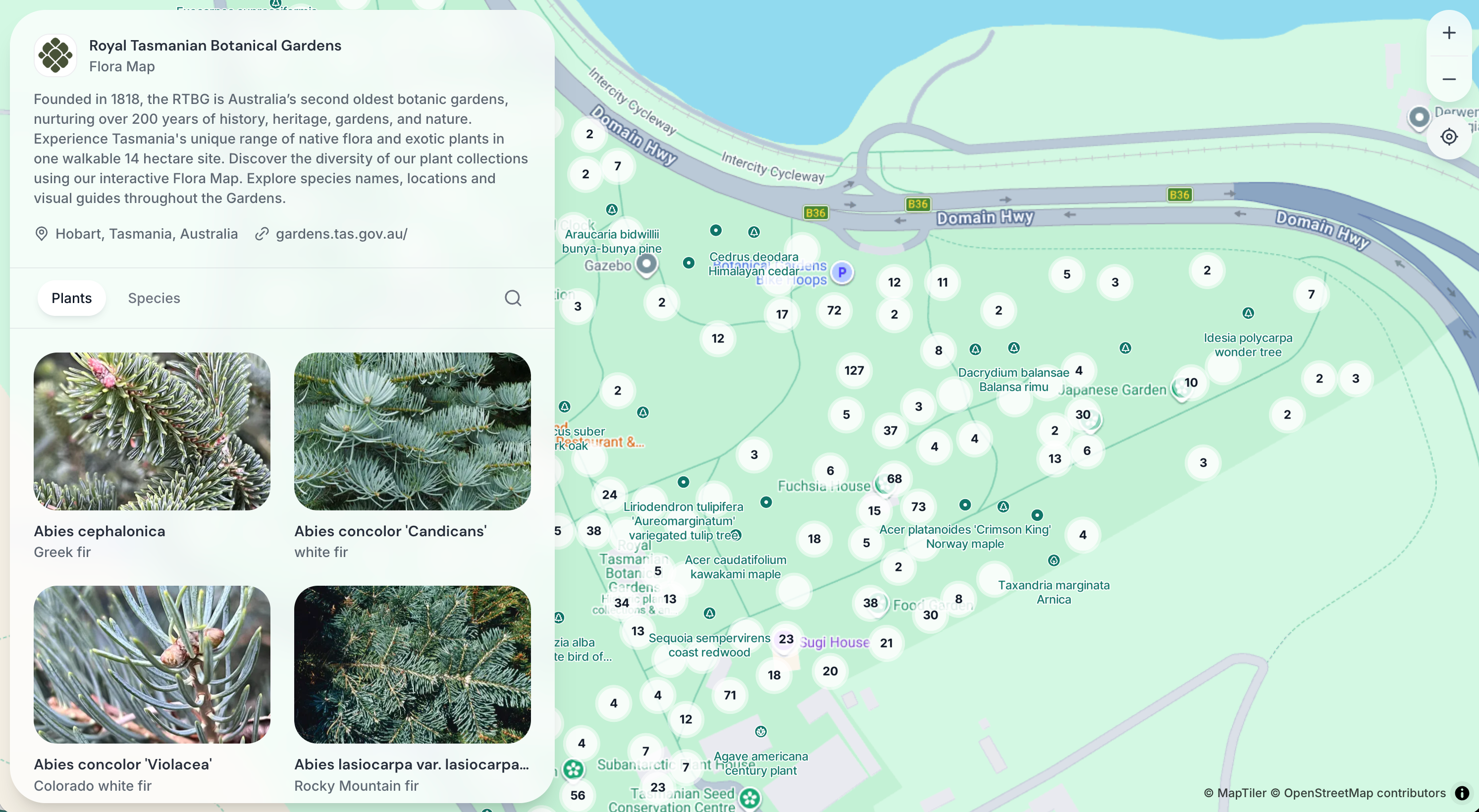
Royal Tasmanian Botanical Gardens has made much of its collection accessible online, with carefully chosen photography throughout. The result feels like a natural extension of the physical garden, offering visitors and plant enthusiasts a way to browse the collection that mirrors something of the experience of walking through it.
Chihuahuan Desert Nature Center and Botanical Gardens
Fort Davis, Texas, USA
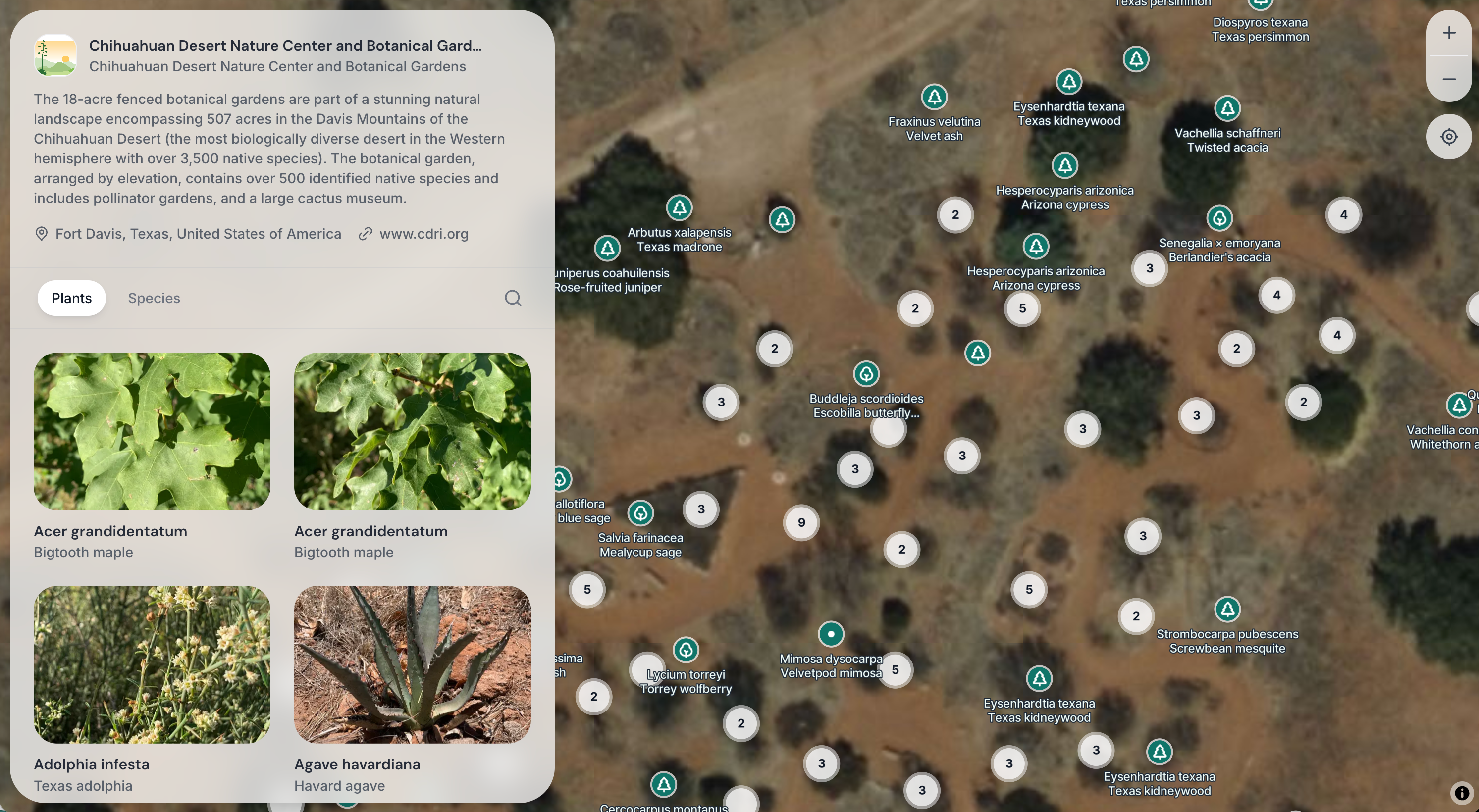
Chihuahuan Desert Nature Center uses its site to share more than 500 identified native species across an 18-acre garden. The visuals capture a strong sense of the desert landscape, giving visitors a clearer picture of the plants and place before or after they visit in person. The team put it together in just over two months.
Together, these examples show that there isn’t one fixed way to approach it. The feature can support broad access, seasonal focus, or a more visual route into the plants and landscapes that make each garden distinctive.
Where should you start?
For many gardens, the best place to start is with plants that already have a clear visitor purpose. That might be an existing botanical trail, plants used in education sessions, seasonal highlights, or specimens that regularly attract questions.
If a section of the garden already has labels or interpretation, making those plants public first can create a joined-up experience. Visitors can move from physical signage to the digital record, see photos, read more detail, and use the map to understand where they are. From there, you can build gradually.
Stay in control of what visitors see
The important thing is that you stay in control of what appears publicly. In Hortis, nothing appears publicly until you choose to share it. By default, all plant materials are set to Private. You can make individual records public, update several at once from your Plant Materials list, and use the Public column to see at a glance what is currently visible.
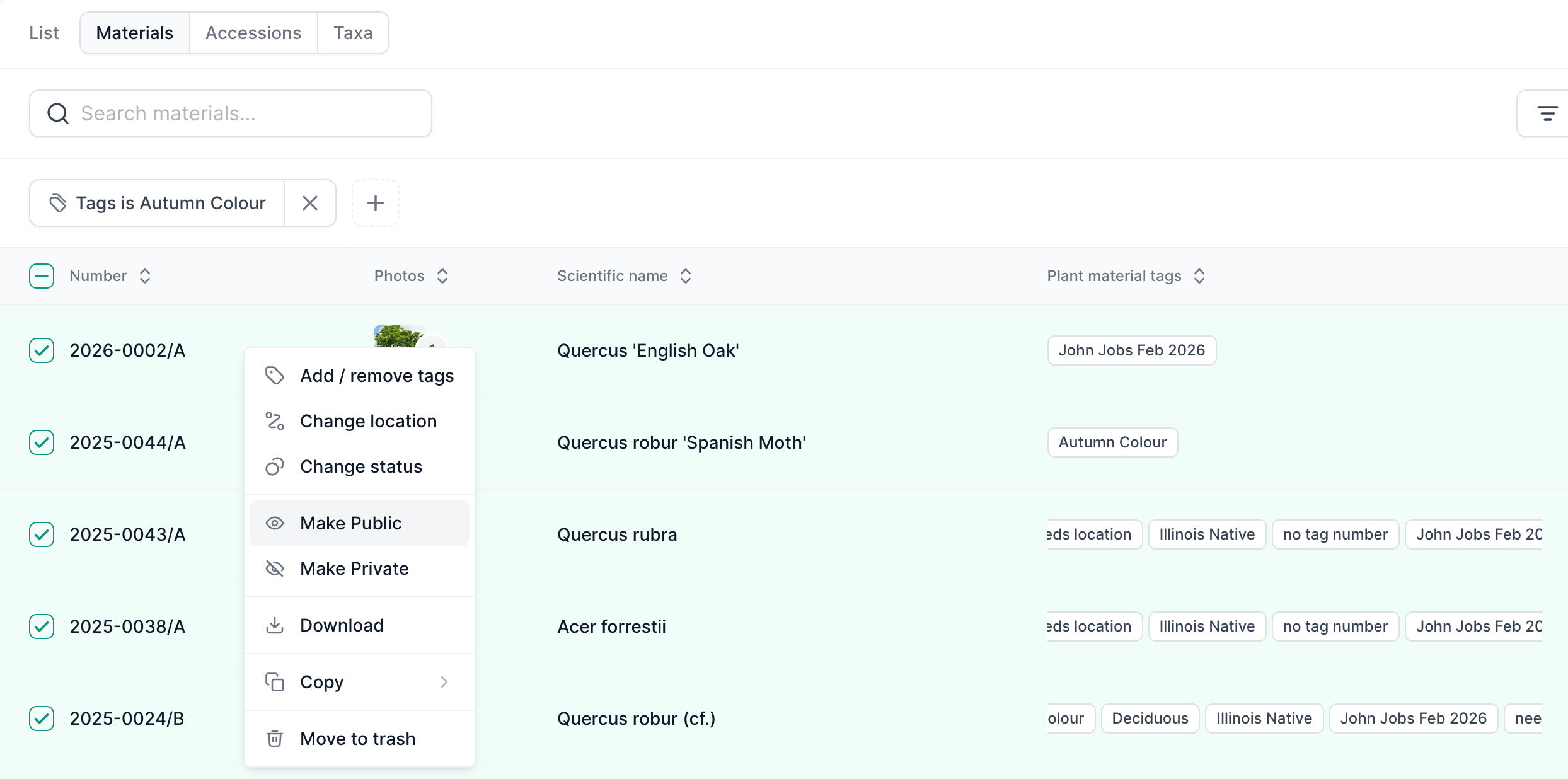
Tags can also help you manage the public view behind the scenes. For example, you might tag records as “Spring 2026”, “School trail” or “Autumn colour”, then use that tag to find the group quickly and update their visibility as a bulk action. That makes it easier to refresh what visitors see seasonally, monthly, or whenever you need.
There are safeguards too. If a plant material is no longer marked as Present in Hortis, it will stop showing publicly. Conservation-sensitive plants, newly planted material, or anything not yet ready for public viewing can stay internal.
You can also make a plant material public without displaying its mapped location. It will still appear in the Plants and Species views, but it won’t show as a pin on the map. That can be useful when you want to share information about a plant without directing visitors to its exact position.
Shape the interpretation
The visitor-facing text can be shaped by your team as well. For taxon-level interpretation, Hortis may show a summary from Wikipedia where one is available and your team hasn’t added its own interpretation. If you want to control exactly what visitors see, you can add your own text in the taxon interpretation field, and that will be used instead.
Alongside this taxon-level interpretation, you can add a public description directly to an individual plant material record in Hortis. This allows you to share interpretation about that exact specimen, such as its history, flowering behaviour or particular significance within the garden.
Public descriptions can also be formatted using headings, bold text, bullet points and hyperlinks, making it easier to create clear, useful interpretation for visitors. You can also include interpretation in more than one language within your descriptions, helping international visitors or multilingual audiences access the information.
You don’t have to share everything to share something.
Sharing it with visitors
Once your site is live, there are several ways to put it in front of visitors.
You can link directly to your public site or to individual plant and species pages from your website, newsletters, social channels or visitor information. You can also embed it into your existing website using an iFrame, so visitors can browse the collection without leaving your main site. You can find more guidance on embedding your Public Site in our Support pages.
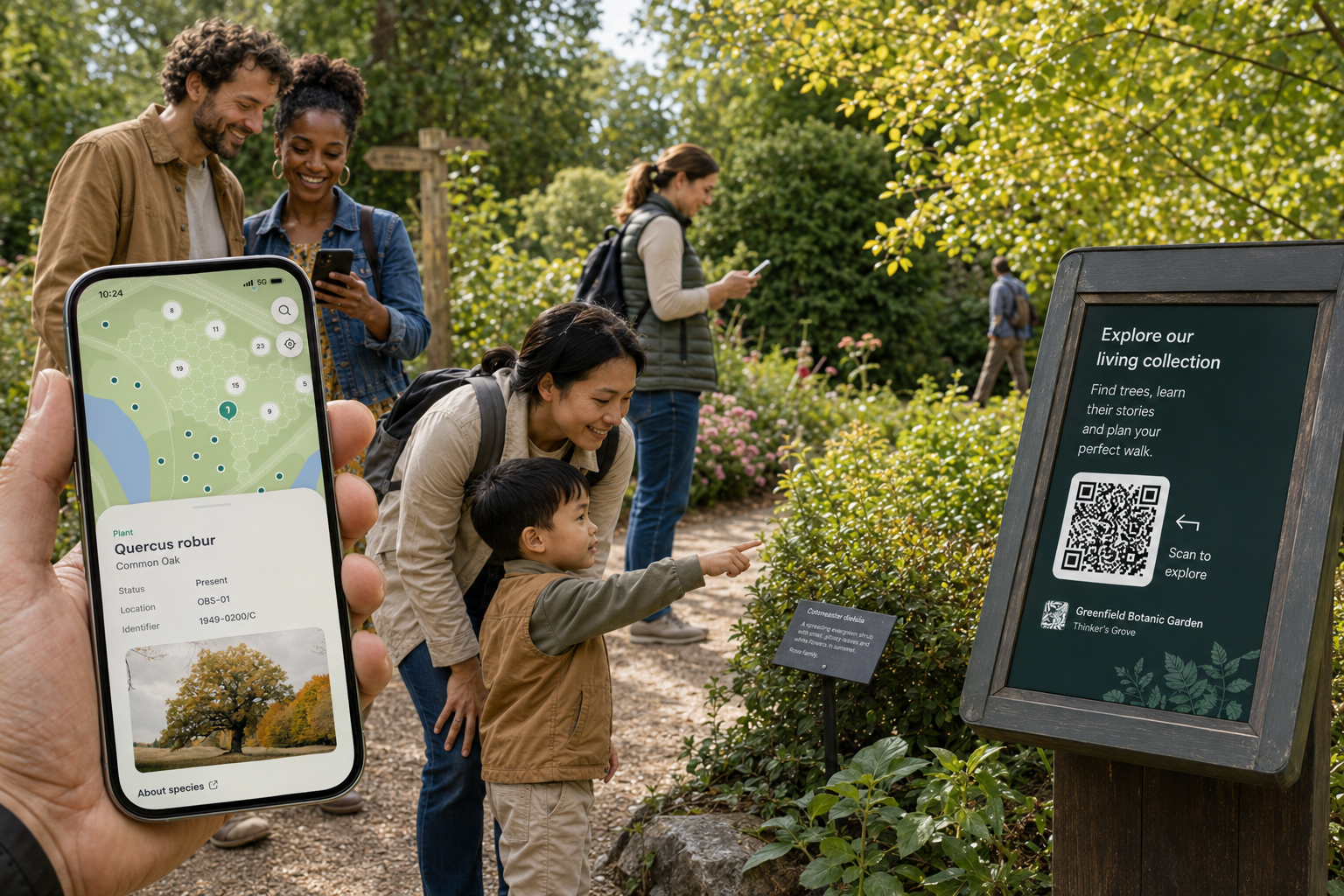
QR codes are generated automatically for individual plant records. Add them to bed labels, interpretation panels or trail sheets and visitors can open the relevant record on their own device.
If you want a code that links to the full collection, perhaps for entrance signage or a printed leaflet, you can generate one separately from your public site’s URL using any standard QR tool.
Getting started
Public Sites are available on the Hortis Plus and Custom plans.
To switch yours on, go to Settings > Collection Sites, choose the site you want to share, and turn on public visibility.
Once enabled, you can add your public profile information, choose which plant materials to make visible, and start shaping the visitor experience you want to create.
For a full walkthrough, visit our Support pages, or book a time with us to talk through any questions in more detail.